
Alerts that don't get lost
Failed deliveries are retried. While an app stays down, a reminder says how long it's been. When many apps fail at once, you get one notice about your own network instead of a storm.
Self-hosted, one binary, no database
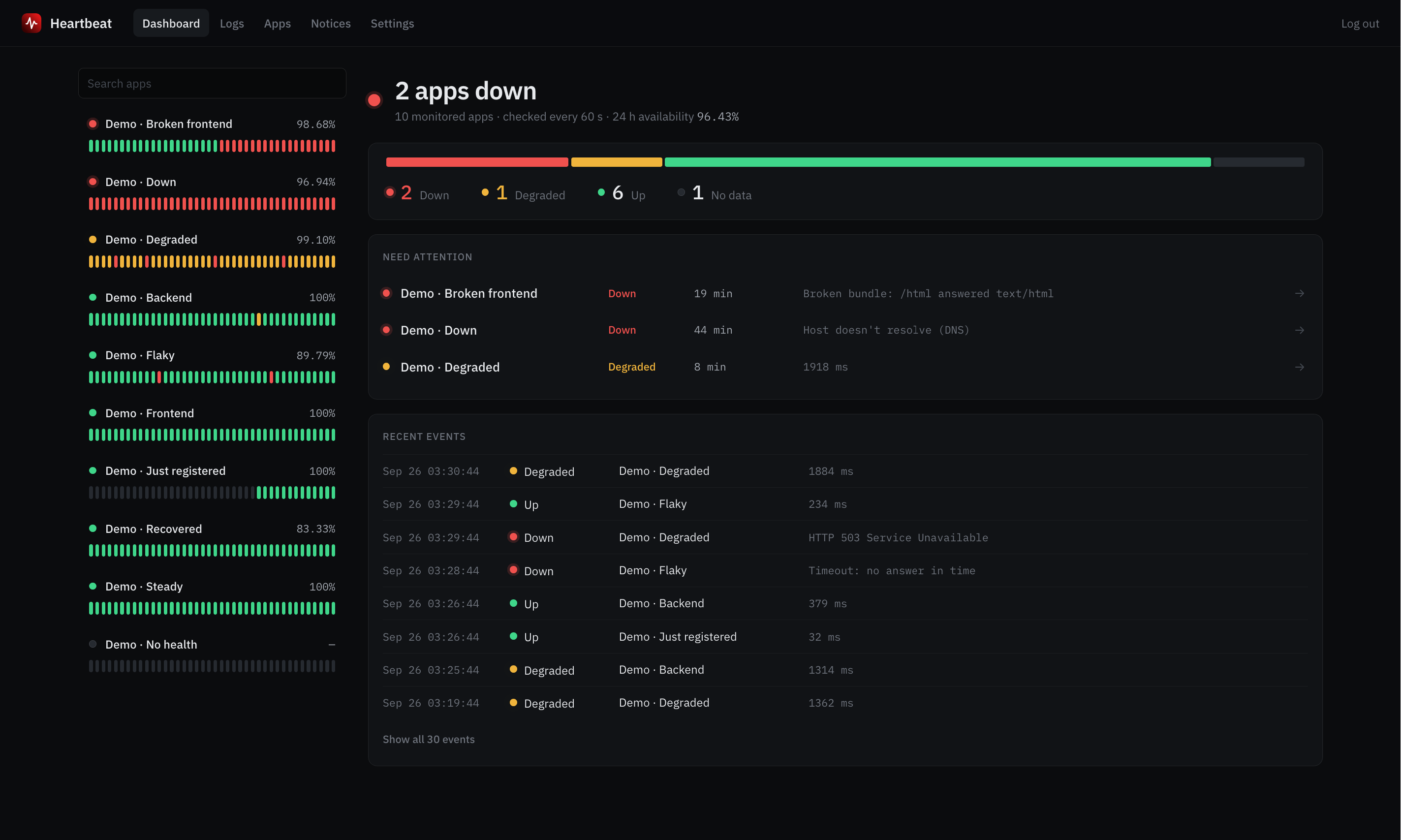
Heartbeat checks your apps every minute, alerts Slack or Discord when one goes down, streams its logs live and publishes a status page for each one.
docker run -d --env-file .env -p 8090:8090 -v ./data:/app/data ghcr.io/wilovy09/heartbeat:latest
Most days it stays quiet. When an app fails, it tells the right people, shows why and keeps your users informed.
Failed deliveries are retried. While an app stays down, a reminder says how long it's been. When many apps fail at once, you get one notice about your own network instead of a storm.
Its own interval and timeout, expected status codes, headers, a keyword in the body, TCP for databases, SSL expiry, and JS/CSS bundles for single-page apps.
stdout and stderr side by side, filtered by level and module, searchable, refreshing live.
30 days of daily uptime and the notices you publish, without URLs or error messages. Add a badge to a README or embed it in any site.
Every outage with its start, duration and cause, plus MTTR and total downtime.
Templates and assets live inside the binary, data in plain files. Docker images for amd64 and arm64.
Checks only call allowed hosts over https, never follow redirects and refuse private IPs. Server-side sessions and CSRF checks.
Spanish or English. System, dark, light, or your own theme.
Copy the example file and set the hosts your apps live on and how admins sign in.
curl -fsSL https://raw.githubusercontent.com/Wilovy09/heartbeat/main/.env.example -o .envWith Docker, or the release binary behind nginx.
docker run -d --name heartbeat --env-file .env -p 8090:8090 -v ./data:/app/data ghcr.io/wilovy09/heartbeat:latestOpen it, add each app's health URL, and point alerts at your channel.
open http://localhost:8090

